
New
-
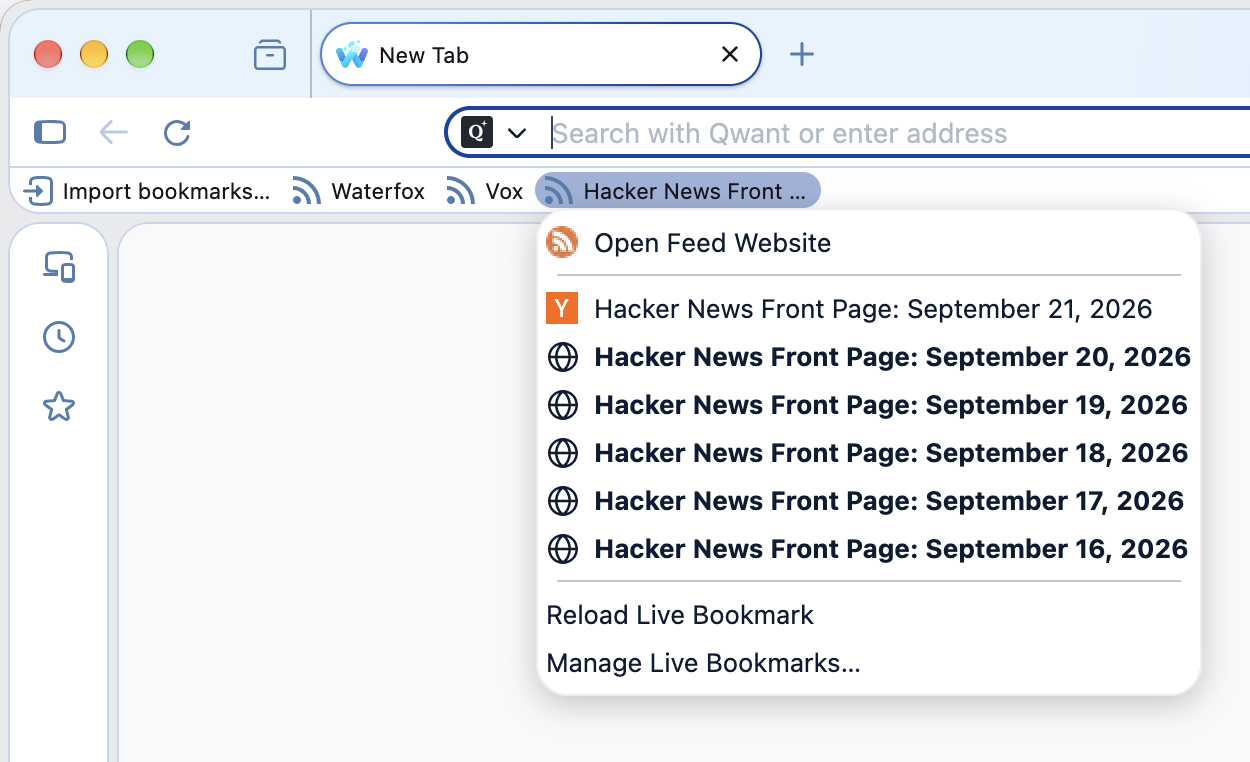
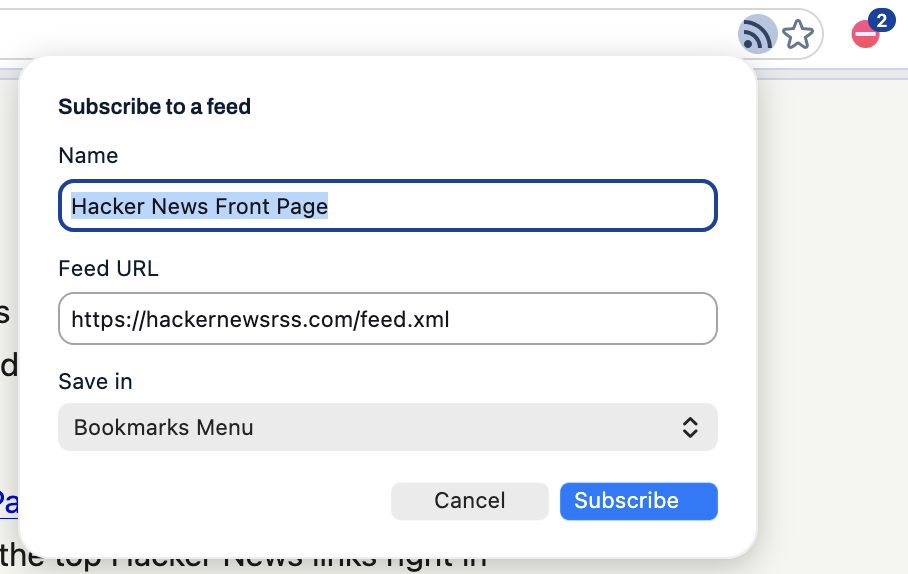
RSS feeds and Live Bookmarks are back. You can once again preview and follow RSS and Atom feeds. Use the feed icon in the address bar to subscribe to a Live Bookmark folder in your bookmarks toolbar or menu.
- Thanks to the Thunderbird team for continuing to maintain its feed parser.
-
Disable AI in search results, on by default. Under Settings → Search, Waterfox now hides AI answers from search engines that support disabling them. You can uncheck the setting if you want AI answers back.
-
Proxied search suggestions toggle. Introduced in 6.7.0, the autocomplete privacy proxy can now be toggled off under Settings → Search.
-
Hide the Windows media popup. A new Windows option keeps your media keys working but hides the system ‘now playing’ overlay. Set
media.hardwaremediakeys.overlay.enabledtofalseinabout:config, then restart Waterfox.- Thanks to @Velian for the PR.
Changed
- The 1.org Charitable Search engine has been removed because all partnerships with System1 have ended.
- Refreshed the Bing and Ecosia icons.
- Updated the built-in JPEG-XL decoder from
0.6.0to0.7.4. - Builds no longer bundle the ONNX runtime.
Fixed
- Disabled an old, weak encryption cipher that would cause some websites to refuse to load.