Scan QR codes in Waterfox for Android - Waterfox Support
Waterfox for Android has a built-in QR code reader in the address bar, this makes it easy to visit a webpage by scanning a QR code.
How to use the QR code reader
-
Tap the search bar.
-
Above the keyboard, tap the Scan icon.
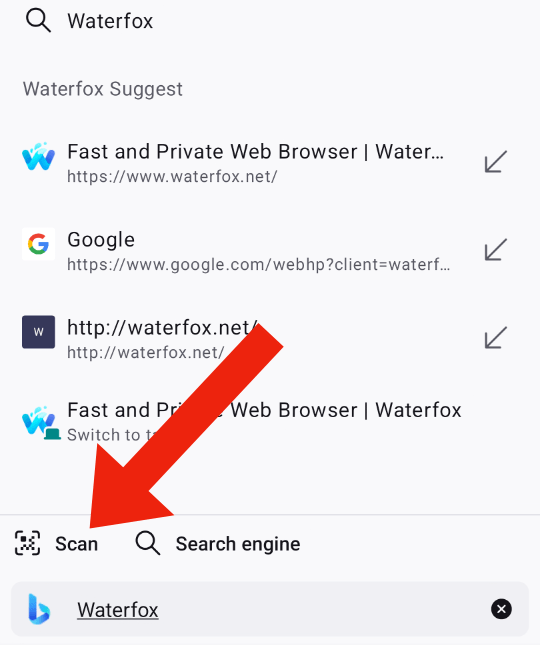
-
After scanning you will see the web address, tap Allow to visit the site.
Copyright and Licensing
Modified from Scan QR codes in Firefox for Android by Mozilla Contributors is licensed under CC BY-SA 3.0.
Article originally written by: Tonnes, Roland Tanglao, Biraj Karmakar, pollti, Joni, R.S Fatin, SeulGi Choi, Angela Lazar, shreyans.jain2