Windows 10 warns me to use a "Microsoft-verified" app - Waterfox Support
In certain versions of Windows 10, you may receive a notification with a warning about Microsoft-verified apps when you run the Waterfox installer.
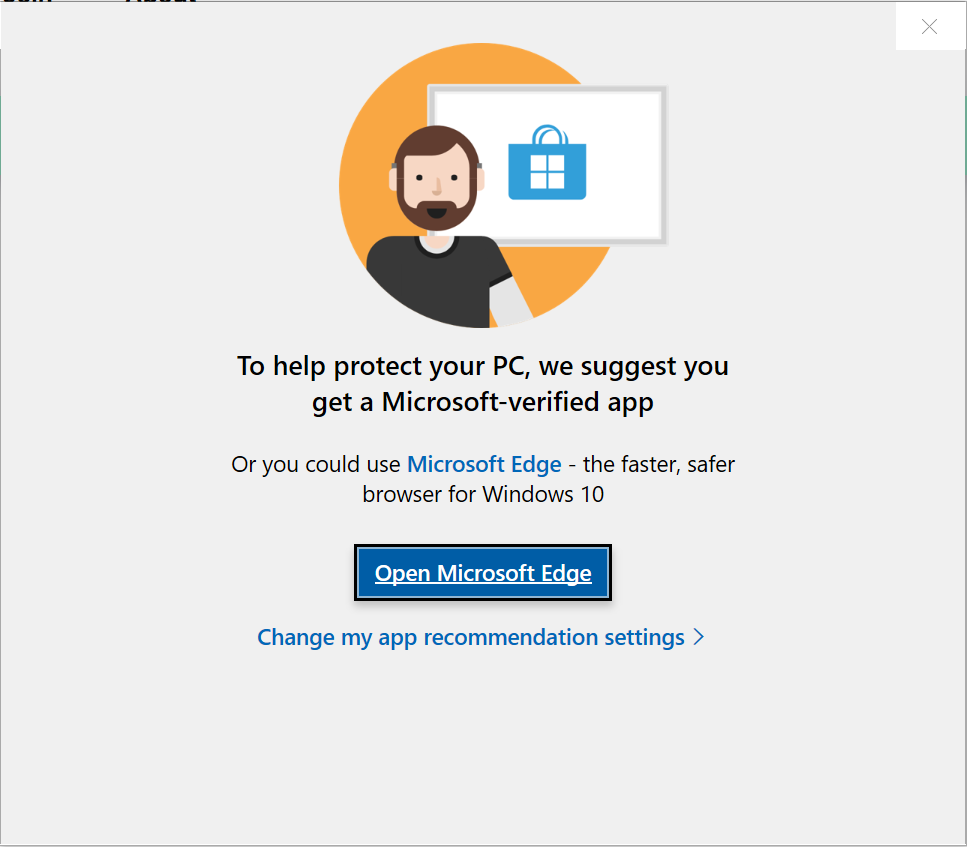
Any copy of Waterfox downloaded from www.waterfox.net is safe to install, so choose “Install anyway”.
Info
- You can also download and install Waterfox from the Microsoft Store .
- Using Windows 10 in S mode? See Windows in S mode won’t let me install Waterfox .
If you do not see the option to “Install anyway”, follow the steps below to change your system settings.
- Open the Windows 10 start menu and select Settings.
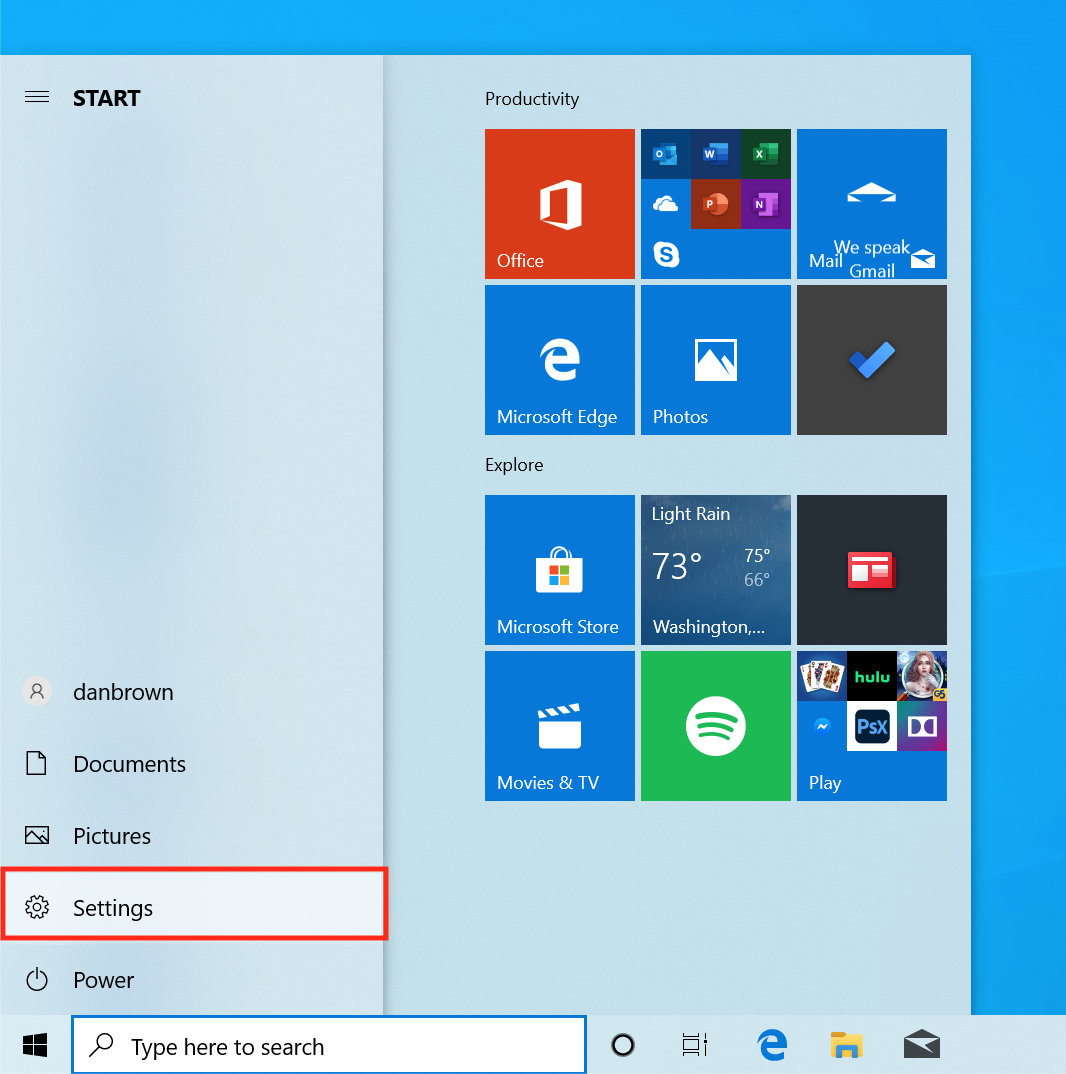
- Click on Apps in the Windows Settings menu.

- In the Apps & features section go to Choose where to get apps, click on the dropdown menu below and select one of the options that allows you to install from Anywhere.
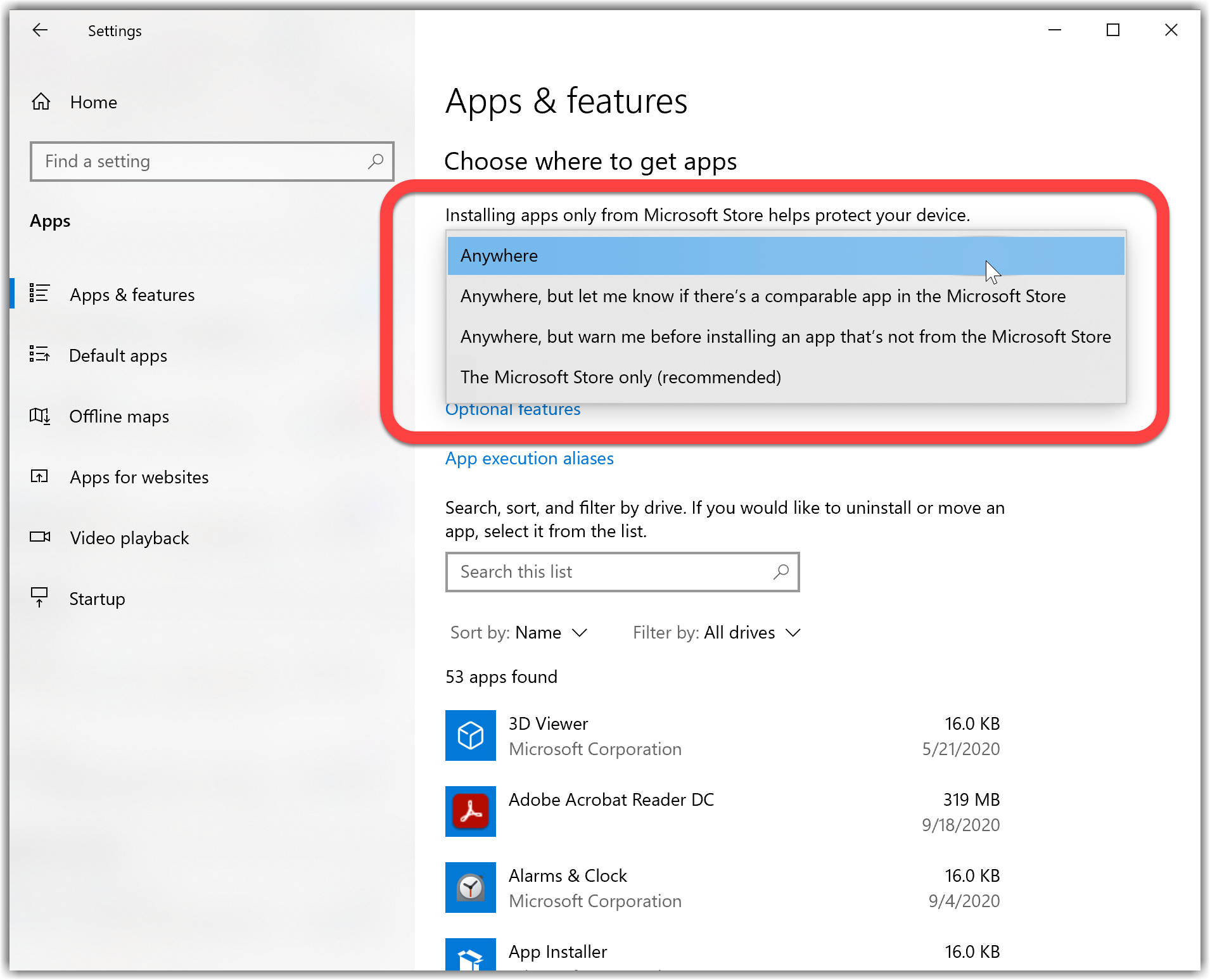
- Run the Waterfox Installer again. Your Windows may now allow it to install Waterfox.
Copyright and Licensing
Modified from Windows 10 warns me to use a “Microsoft-verified” app . Original by Mozilla Contributors . Licensed under the CC BY-SA 3.0 .