Built-in themes in Waterfox - alternative to complete themes - Waterfox Support
Complete themes have been replaced by built-in themes with lighter and darker color schemes.
You can enable one of these built-in themes by following these steps:
- Click the menu button , click Add-ons and Themes and select Themes.
- Click the ellipsis (3-dot) icon next to the desired theme and click Enable.
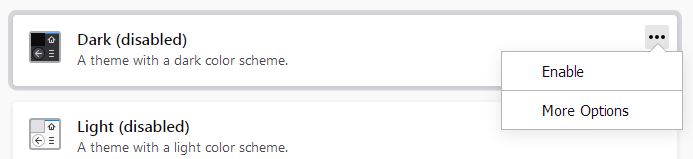
Additionally, thousands of lightweight themes are available from addons.mozilla.org . For more information, see Use themes to change the look of Waterfox .
Copyright and Licensing
Modified from Built-in themes in Firefox - alternative to complete themes . Original by Mozilla Contributors . Licensed under the CC BY-SA 3.0 .