Site Permissions panel - Waterfox Support
This article applies to Waterfox version 87 and above. See the Site Information panel article for previous Waterfox versions.
If you have granted any special permissions to a website, you will see a Permissions icon  in the address bar. Click this icon to open the Permissions panel, where you can view and adjust permissions for the website.
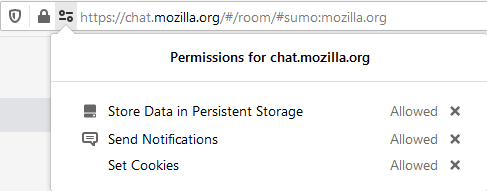
You can click the X next to any permission entry to clear the status. This will restore the default setting for that type of permission.
Info
You will not see a Permissions icon in the address bar if you have not changed any of the default permission settings for that website.
You can change any other permissions from the Page Info window, which contains a comprehensive Permissions section. To open the Page Info window for a website:
- Click the padlock
 in the address bar.
 - Click the right arrow in the Site Information panel .
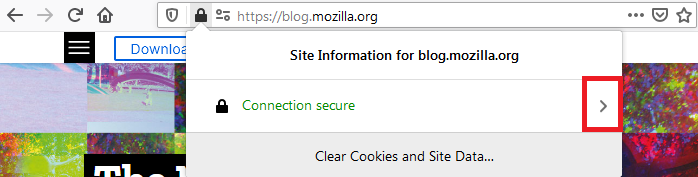
- Click the More Information button in the next panel.
See the Waterfox Page Info window article for additional information.
Copyright and Licensing
Modified from Site Permissions panel . Original by Mozilla Contributors . Licensed under the CC BY-SA 3.0 .